


Luxe Link Studio for Mac
Listing films, from your Dock.
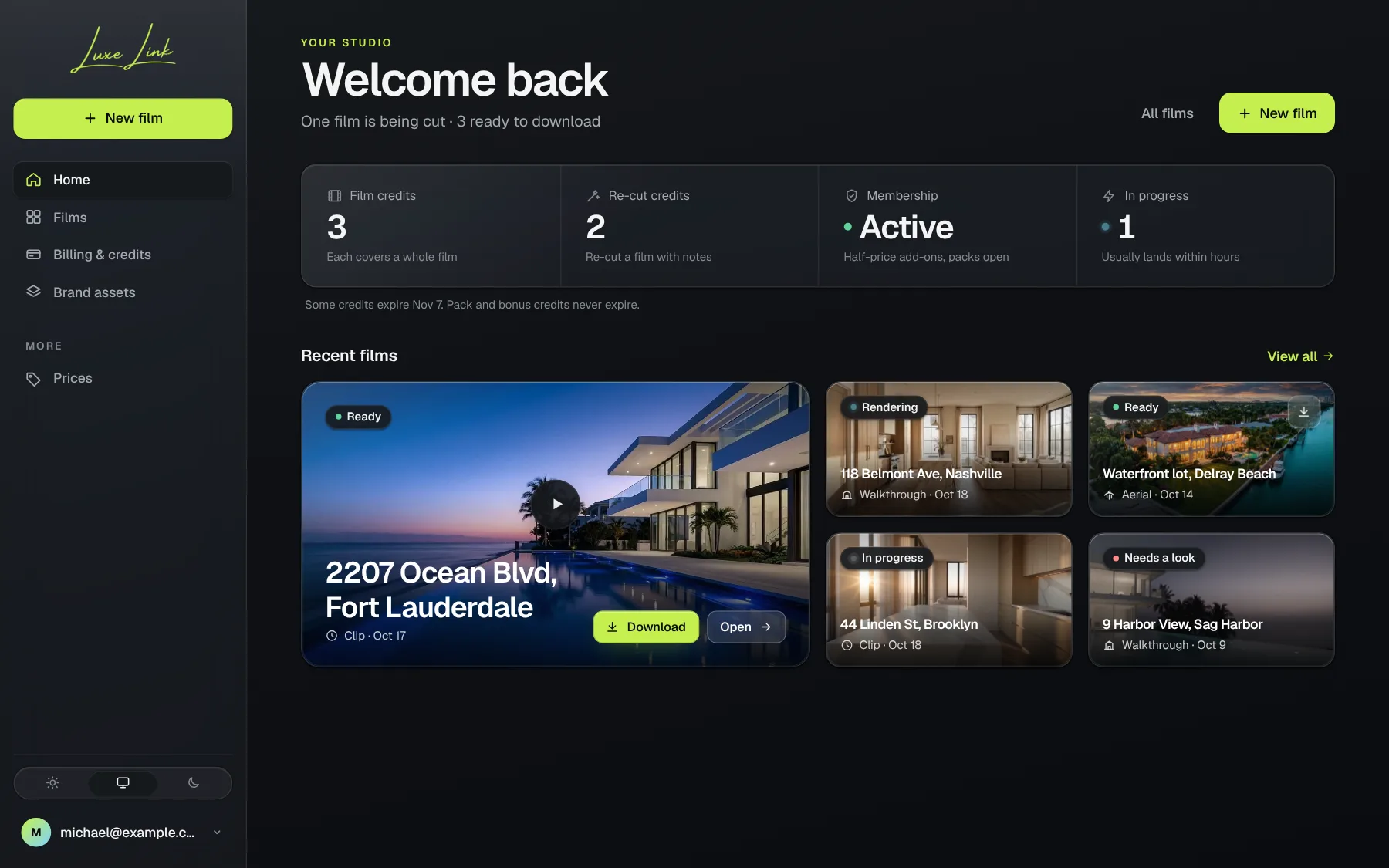
Everything Studio does on the web, as a real Mac app. Finished films save straight to your Mac.
- Free
- Signed and notarized by Apple
- Apple silicon and Intel
Why the app
The same Studio. Fewer clicks.
In your Dock
One click from anywhere. No tab to find, no bookmark to keep.
Films land in Downloads
A finished film saves straight to your Mac and opens in Finder.
Keyboard first
⌘N starts a film. ⌘1–4 jump to your dashboard, films, assets and billing.
Same account, same prices
Sign in once. Every film, credit and receipt is the one you see on the web.
Install
Three steps, under a minute.
Open LuxeLinkStudio.dmg
It is in your Downloads folder once the download finishes.
Drag Luxe Link Studio into Applications
The window that opens shows both. Then eject the disk image.
Open it and sign in
Use the account you already have, or create one. Your films are all there.
Opens without a warning
Signed with our Developer ID and notarized by Apple. macOS checks it before the first launch, the same way it checks apps from the App Store.
On a phone or a PC?
Studio runs in any browser — Safari, Chrome, Firefox or Edge. Same account, same films.
Create an accountQuestions
Before you download
- Does the app cost anything?
- No. The app is free. Films cost the same as on the web — $100.00 each, or included in a membership.
- Is it the same account as the website?
- Yes. Films, credits, receipts and your membership are shared. Start a film on your phone and download it on your Mac.
- Which Macs does it run on?
- macOS 13 Ventura or later · Apple silicon and Intel.
- Is it safe to install?
- Yes. The app is signed with our Apple Developer ID and notarized by Apple, so macOS opens it without warnings.
- Where do my films go?
- Straight to your Downloads folder. The app opens Finder on the file when it is done.